
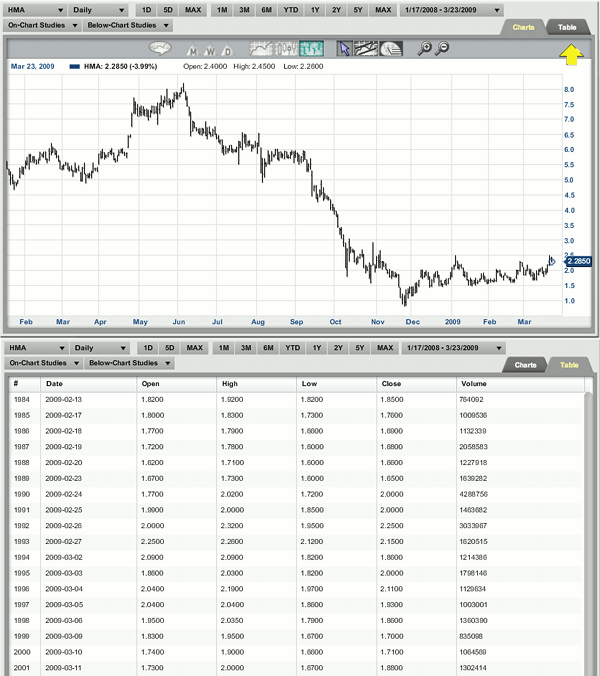
Click on the tab labeled "Table" on the right hand side of the chart. This will list the date, open, high, low, close and volume of the dates plotted on the chart.
Return To Chart Data Table Homepage
Return To Help Section Homepage
Click on the tab labeled "Table" on the right hand side of the chart. This will list the date, open, high, low, close and volume of the dates plotted on the chart.
Return To Chart Data Table Homepage
Return To Help Section Homepage
You are now leaving a Magnifi Communities’ website and are going to a website that is not operated by Magnifi Communities. This website is operated by Magnifi LLC, an SEC registered investment adviser affiliated with Magnifi Communities.
Magnifi Communities does not endorse this website, its sponsor, or any of the policies, activities, products, or services offered on the site. We are not responsible for the content or availability of linked site.
